Showing posts with label Tumbler. Show all posts

1.05.2013

Vinyl Tumbler Decoration

Yesterday my Cameo went crazy.

It started randomly cutting dots and dashes and despite all my best troubleshooting efforts, it won't stop unless I disconnect it from the computer.  This makes crafting difficult but not impossible.

The Cameo has a "Cut from SD card" feature and I learned how to use it (though I hope I won't have to very often- it's a longer process).

First, you have to save every part of your design to the card separately unless you want more than one piece in the same color/material (in my case, anything orange was one file, turquoise another, & white was a third file).  Just put what you want on your virtual mat and hit "Save to SD card."  Name it something obvious so you can find it.

Now, go ahead and put your first material on your mat and load it.  Then pop in the SD card.  You'll see that you have to hit "Pause" for the SD card settings.
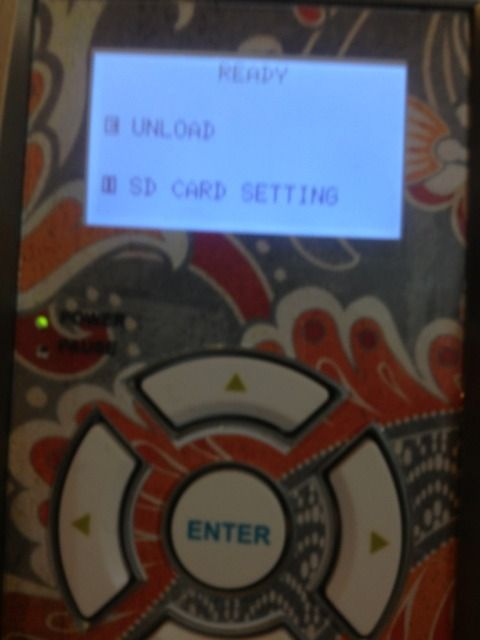


 Go to "Select File" and hit enter (eek, ignore my nail polish!!!)
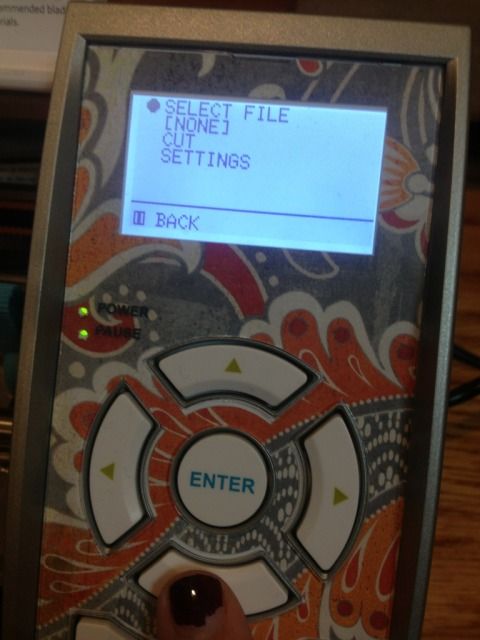

Scroll down until you see what you want to cut and hit "Enter" again.  The photo is NOT the image...at all.  This particular file was the small orange border piece in the middle of the turquoise part.
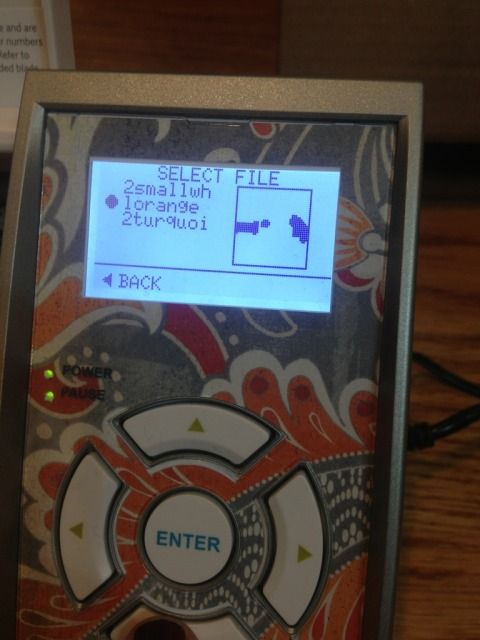

Now you'll see your file name where it previously said NONE.  Scroll down to Cut and hit "Enter."
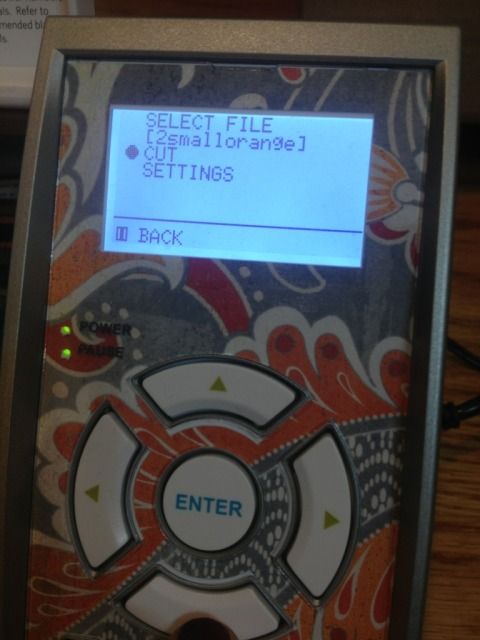

And it will cut!  Then you will just find your other files one by one as you reload your mat.

Tedious, but it works in a pinch.

I'll be changing the X.  The flourish looked better on screen.
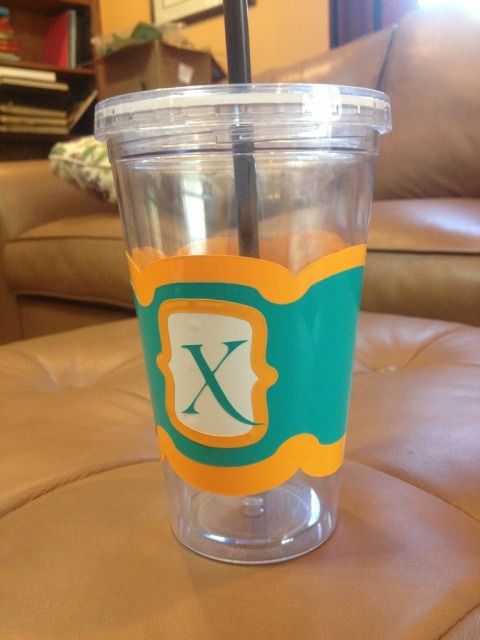
This file is actually a coffee cup wrap and can be found in the Silhouette online store


10.27.2012

Layered Vinyl Elmo Tumbler

***The giveaway for a FREE Chomas Creations Marker Holder for the Silhouette Cameo is coming soon!  Open to blog followers only and you can earn up to 4 entries per person. Follow my blog if you aren't already and stay tuned!***

My poor little guy isn't feeling well and doesn't want any fluids, so I left him in front of Mickey Mouse Clubhouse (my crafty room actually has no doors, just 2 arches, and it's about 10 steps away from the living room, so it's easy to keep an eye on him and craft) and set off to make a bribe with another Dollar Tree tumbler (my first one with a wrap template found here).

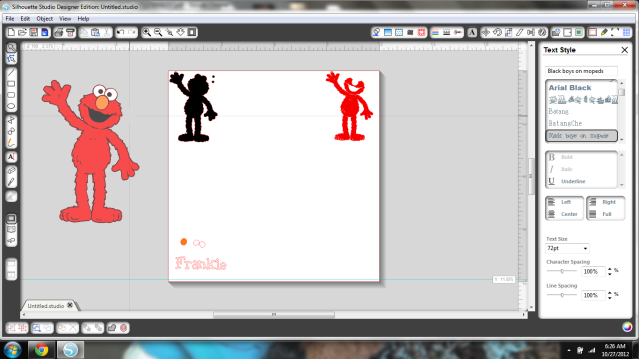
This time I decided to layer an image itself and picked Elmo because until my two vinyl orders arrive I'm pretty low on inventory.  I also wanted to do this fast so I separated black, red, and white on the mat and then Frankenstein-layered the colors of vinyl on the mat as well.


While the Cameo does do Print & Cut, and I do have printable vinyl, this is just red, black, and white vinyl.  Only the edges of the shapes cut.  I just kept them shaded since it was easier to see.

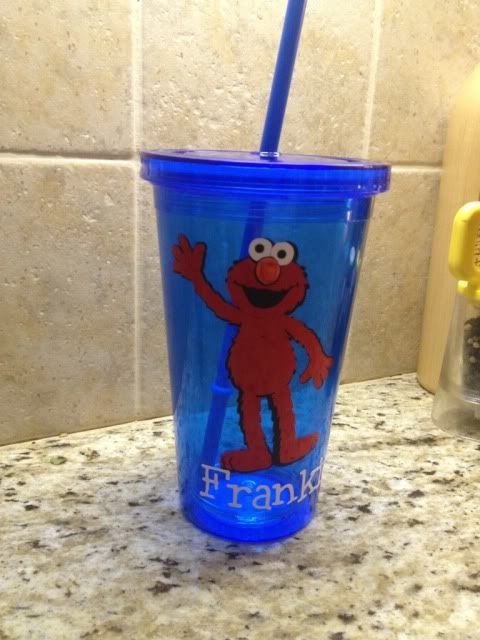
Here's a fairly dark photo of the final layered result.  Incidentally, it's gloomy all over today because of Sandy; anyone else in her path?  I have a wedding to go to tonight too!  Fingers crossed for no power outage!


If you're looking at this and realizing that I had no orange vinyl, you're right, I didn't.  Elmo has an orange nose thanks to an orange Sharpie marker.  

Mission accomplished, sicky toddler boy is drinking water and I got some crafty time before Frankenstorm Sandy really gets going and shuts off the electricity!  Stay safe everyone!


Showing posts with label Tumbler. Show all posts

1.05.2013

Vinyl Tumbler Decoration

Yesterday my Cameo went crazy.

It started randomly cutting dots and dashes and despite all my best troubleshooting efforts, it won't stop unless I disconnect it from the computer.  This makes crafting difficult but not impossible.

The Cameo has a "Cut from SD card" feature and I learned how to use it (though I hope I won't have to very often- it's a longer process).

First, you have to save every part of your design to the card separately unless you want more than one piece in the same color/material (in my case, anything orange was one file, turquoise another, & white was a third file).  Just put what you want on your virtual mat and hit "Save to SD card."  Name it something obvious so you can find it.

Now, go ahead and put your first material on your mat and load it.  Then pop in the SD card.  You'll see that you have to hit "Pause" for the SD card settings.


 Go to "Select File" and hit enter (eek, ignore my nail polish!!!)


Scroll down until you see what you want to cut and hit "Enter" again.  The photo is NOT the image...at all.  This particular file was the small orange border piece in the middle of the turquoise part.


Now you'll see your file name where it previously said NONE.  Scroll down to Cut and hit "Enter."


And it will cut!  Then you will just find your other files one by one as you reload your mat.

Tedious, but it works in a pinch.

I'll be changing the X.  The flourish looked better on screen.

This file is actually a coffee cup wrap and can be found in the Silhouette online store


10.27.2012

Layered Vinyl Elmo Tumbler

***The giveaway for a FREE Chomas Creations Marker Holder for the Silhouette Cameo is coming soon!  Open to blog followers only and you can earn up to 4 entries per person. Follow my blog if you aren't already and stay tuned!***

My poor little guy isn't feeling well and doesn't want any fluids, so I left him in front of Mickey Mouse Clubhouse (my crafty room actually has no doors, just 2 arches, and it's about 10 steps away from the living room, so it's easy to keep an eye on him and craft) and set off to make a bribe with another Dollar Tree tumbler (my first one with a wrap template found here).

This time I decided to layer an image itself and picked Elmo because until my two vinyl orders arrive I'm pretty low on inventory.  I also wanted to do this fast so I separated black, red, and white on the mat and then Frankenstein-layered the colors of vinyl on the mat as well.


While the Cameo does do Print & Cut, and I do have printable vinyl, this is just red, black, and white vinyl.  Only the edges of the shapes cut.  I just kept them shaded since it was easier to see.

Here's a fairly dark photo of the final layered result.  Incidentally, it's gloomy all over today because of Sandy; anyone else in her path?  I have a wedding to go to tonight too!  Fingers crossed for no power outage!


If you're looking at this and realizing that I had no orange vinyl, you're right, I didn't.  Elmo has an orange nose thanks to an orange Sharpie marker.  

Mission accomplished, sicky toddler boy is drinking water and I got some crafty time before Frankenstorm Sandy really gets going and shuts off the electricity!  Stay safe everyone!